
Session Access
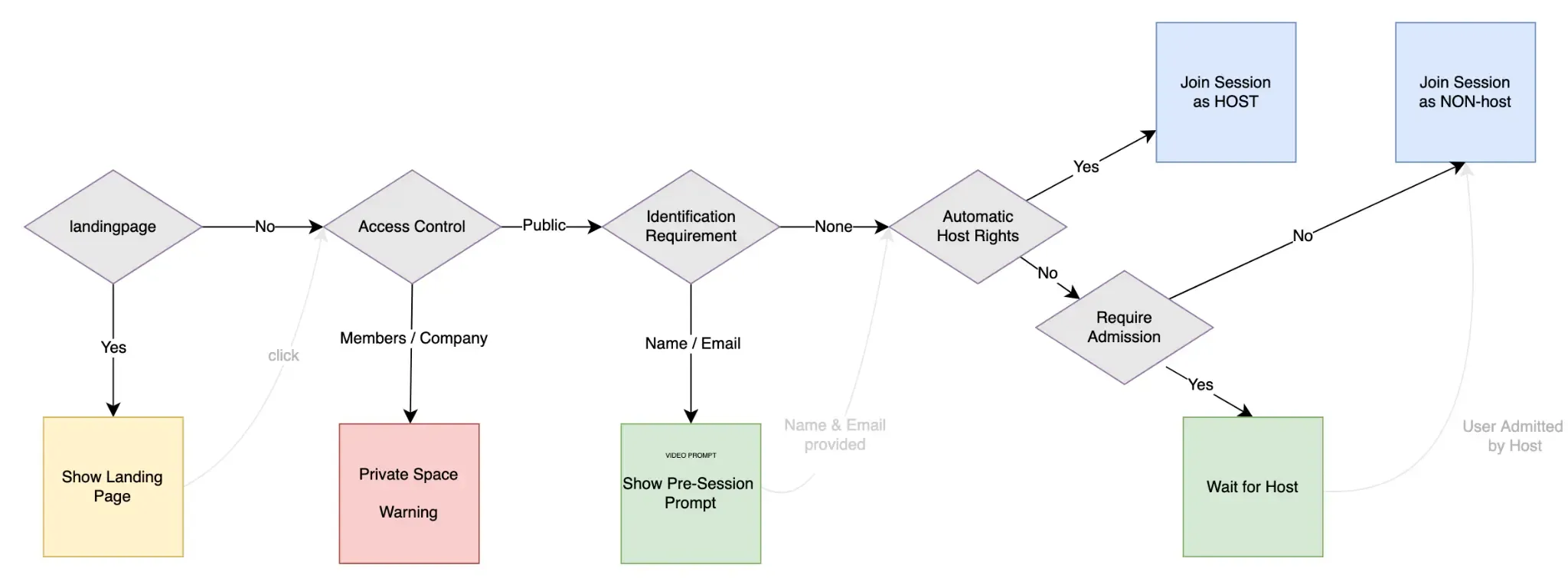
Access controls let you define who can start or join Sessions of a Space. Moreover, it lets you define how they should enter: whether directly, with authentication, or after host approval. Access controls are designed to support a variety of Use Cases, such as but not limited to:
- Hosting private team meetings restricted to authorized members.
- Running public webinars that collect participant names.
- Allowing company-wide access for internal sessions.
- Adding a host-controlled admission step for tighter control over who joins.
By combining Access Level, Identification Requirement, and an optional Admission Flow configurations, Space Owners can tailor Session access to meet the security, branding, or compliance needs of each Use Case.
Access Configuration
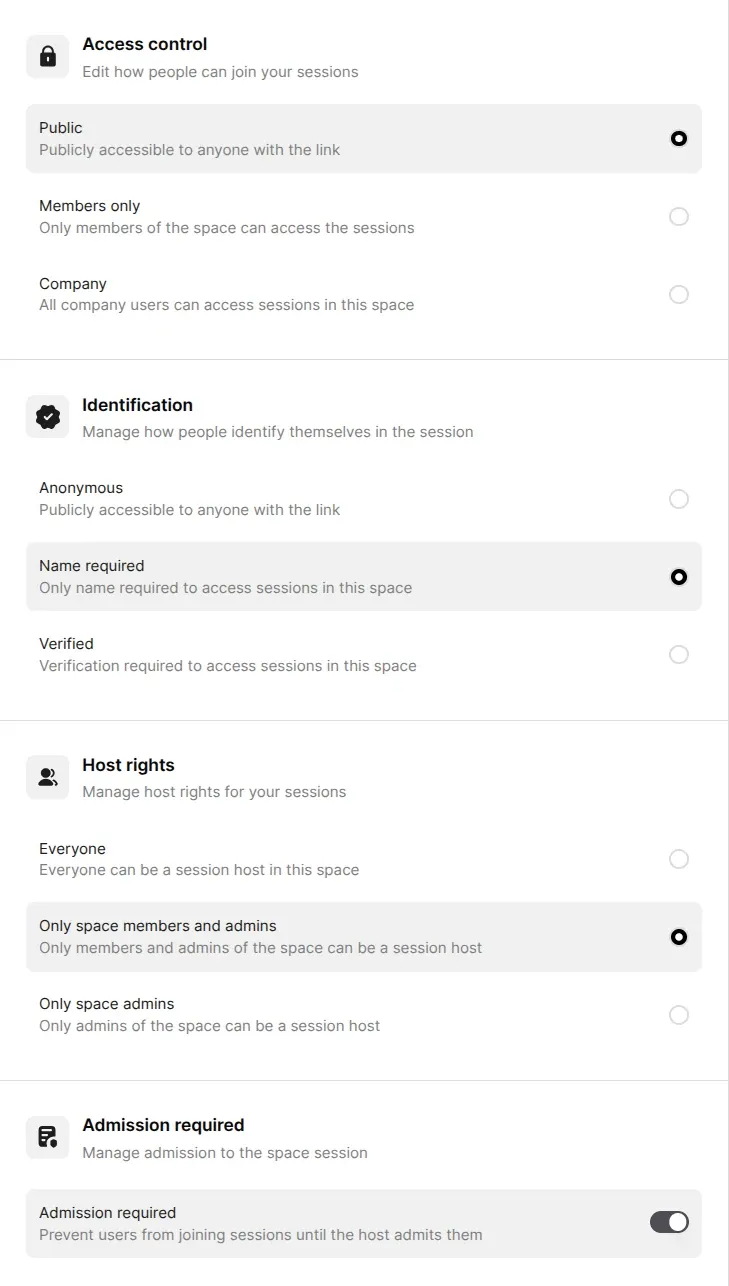
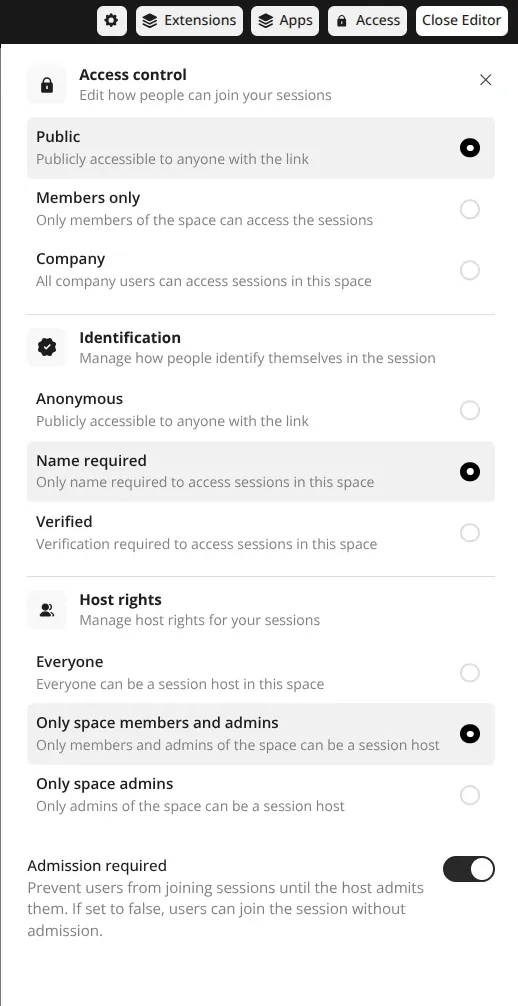
Section titled “Access Configuration”Access controls (all except Visibility) are available in the Space Settings (left) and in the Access section of the Session Editor (right).
Visibility
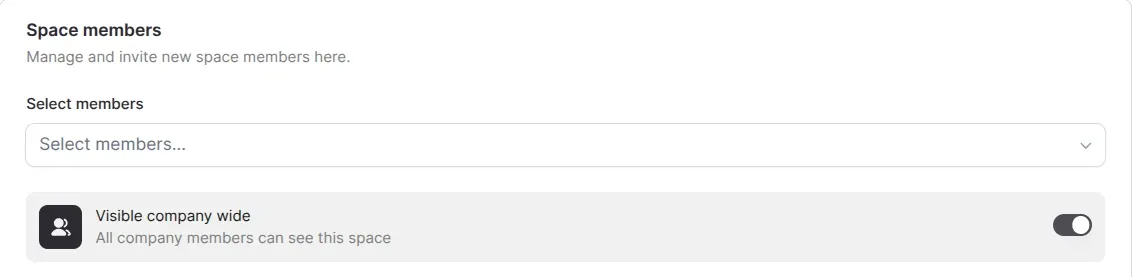
Section titled “Visibility”Define the visibility of the Space. If the toggle is enabled, the Space will be visible in the Space list for all Company Members. When disabled, the Space will only be visible to Space Members.
Access Control
Section titled “Access Control”Define the overall ability to join a session.
- Public – Anyone with the link can view/join
- Members only – Only space members and admins
- Company – All users verified as part of the company
Identification
Section titled “Identification”Define whether and how users identify themselves before joining, only available when Access Control is set to Public.
- Anonymous – No identification required
- Name required – User name input required
- Verified – Identity must be verified (e.g., Google, GitHub, etc.)
Host Rights
Section titled “Host Rights”Define who can become a host of the session on Session start and when the active host leaves the Session.
- Everyone
- Only space members and admins
- Only space admins
Admission Required
Section titled “Admission Required”Optionally toggle host approval before users can join a Session. Useful for sensitive or high-profile sessions where host gatekeeping is preferred.
Available on Space Members page only.
Together, these controls give hosts the ability to manage privacy, security, and participant visibility — all without needing to configure every Session manually.
Access Relations
Section titled “Access Relations”Below you can find a summarization table of the access controls, their options and dependencies.
| Access Control | Identification | Admission Flow Enabled | Description |
|---|---|---|---|
| Public | Anonymous | true |
Anyone can join anonymously and they wait for host to admit them. |
| Public | Name required | true |
Name is collected before joining and they wait for host to admit them. |
| Public | Verified | true |
Users verify identity, then they wait for host to admit them. |
| Public | Anonymous | false |
Anyone can join directly. |
| Public | Name required | false |
Require name, auto-join. Useful if you want name but no gatekeeping. |
| Public | Verified | false |
Verifies users before auto-joining. |
| Members only | (hidden, not relevant) | true |
Identification irrelevant. Only users with ‘member’ or ‘admin’ roles can access, but host must still admit them. |
| Members only | (hidden, not relevant) | false |
Identification irrelevant. Only users with ‘member’ or ‘admin’ roles can join sessions directly. |
| Company | (hidden, not relevant) | true |
Identification irrelevant. Access based on company affiliation, but host must still admit users. |
| Company | (hidden, not relevant) | false |
Identification irrelevant. All company users can join sessions. |